Tampilkan postingan dengan label Books-Reference. Tampilkan semua postingan

Your finger ebook reader with fantastic reading experience!
Moon+ Reader Pro play.google.com.moonreaderp
Professional book reader with powerful controls & full functions.
*Support online ebook libraries and personal calibre ebook server.
*Read local books with smooth scroll and tons of innovation.
Support txt, html, epub, umd, fb2, chm, zip or OPDS, key features:
Additional benefits in pro version:
- Full visual options: line space, font scale, bold, italic, shadow, alpha colors, fading edge etc.
- 10+ themes embedded, includes Day & Night mode switcher.
- Various types of paging: touch screen, volume keys or even camera, search or back keys.
- 24 customized operations (screen click, swipe gesture, hardware keys), apply to 15 customized events: search, bookmark, themes, navigation, font size and more.
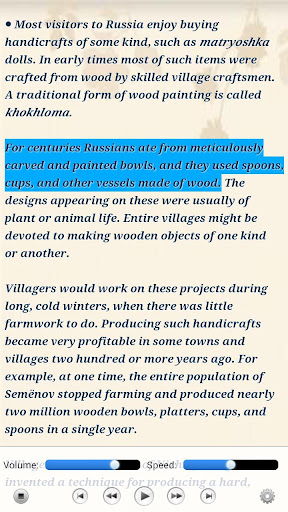
- 5 auto-scroll modes: rolling blind mode; by pixel, by line or by page. Real-time speed control.
- Adjust the brightness by sliding your finger along the left edge of the screen, gesture commands supported.
- Intelligent paragraph; indent paragraph; trim unwanted blank spaces and lines options.
- “Keep your eyes health” options for long-time reading.
- Real page turning effect with customized speed/color/transparent; 5 page flip animations;
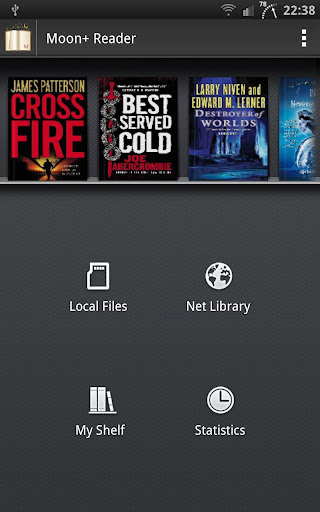
- My Bookshelf design: Favorites, Downloads, Authors, Tags; self bookcover, search, import supported.
- Justified text alignment, hyphenation mode supported.
- Turn off softkey backlight in night mode option.
- Backup/Restore options to cloud via DropBox, sync reading positions between phones and tablets.
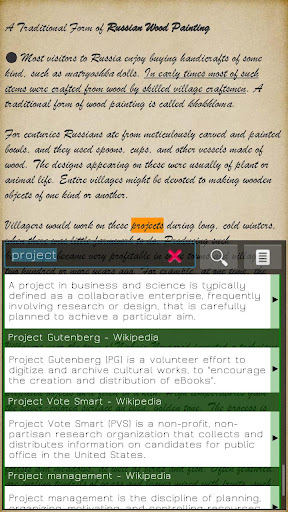
- Highlight, Annotation, Dictionary (Offline or Online, support Google, ColorDict, Fora, etc.), Translation, Share functions all in moon+ ebook reader.
Additional benefits in pro version:
- Ad-free
- Shake the phone to speak (Text-to-speech, TTS engine support)
- More beautiful themes, background images and fonts
- Option for password protection at startup
- Headset & Bluetooth keys control
- Book to home screen shortcut
- Customize reader bar function
- Annotations, highlights & bookmarks share support
- Customer email support
- PDF: fix a bug in thumbnail; optimize smart lock
- TXT: bold chapter title automatically
- Language: update Japanese package
- PDF: show thumbnail list at bottom option; support inner links
- EPUB: optimize for huge images books, improve efficiency
- FB2: support multiple body tags; optimize for big books
- Book info dialog: allow search related information or discussion via google|facebook|twitter|goodreads
- Highlight: long-tap on highlight button to mark text directly without confirmation
- Visual Options: allow adjust font size in ±0.1 level (meet all your request, moon+ is the only reader with such accurate adjustments)
Required Android O/S : 1.6+
Screenshots :


Rating: 4.5
Reviewer: Unknown
ItemReviewed: Moon+ Reader Pro v1.9.2c APK
Your finger ebook reader with fantastic reading experience!
Moon+ Reader Pro play.google.com.moonreaderp
Professional book reader with powerful controls & full functions.
*Support online ebook libraries and personal calibre ebook server.
*Read local books with smooth scroll and tons of innovation.
Support txt, html, epub, umd, fb2, chm, zip or OPDS, key features:
Additional benefits in pro version:
- Full visual options: line space, font scale, bold, italic, shadow, alpha colors, fading edge etc.
- 10+ themes embedded, includes Day & Night mode switcher.
- Various types of paging: touch screen, volume keys or even camera, search or back keys.
- 24 customized operations (screen click, swipe gesture, hardware keys), apply to 15 customized events: search, bookmark, themes, navigation, font size and more.
- 5 auto-scroll modes: rolling blind mode; by pixel, by line or by page. Real-time speed control.
- Adjust the brightness by sliding your finger along the left edge of the screen, gesture commands supported.
- Intelligent paragraph; indent paragraph; trim unwanted blank spaces and lines options.
- “Keep your eyes health” options for long-time reading.
- Real page turning effect with customized speed/color/transparent; 5 page flip animations;
- My Bookshelf design: Favorites, Downloads, Authors, Tags; self bookcover, search, import supported.
- Justified text alignment, hyphenation mode supported.
- Turn off softkey backlight in night mode option.
- Backup/Restore options to cloud via DropBox, sync reading positions between phones and tablets.
- Highlight, Annotation, Dictionary (Offline or Online, support Google, ColorDict, Fora, etc.), Translation, Share functions all in moon+ ebook reader.
Additional benefits in pro version:
- Ad-free
- Shake the phone to speak (Text-to-speech, TTS engine support)
- More beautiful themes, background images and fonts
- Option for password protection at startup
- Headset & Bluetooth keys control
- Book to home screen shortcut
- Customize reader bar function
- Annotations, highlights & bookmarks share support
- Customer email support
- Update Brazilian Portuguese, Ukrainian language packages
- Optimize text-to-speech for TXT books
- Support open super big book files via Dropbox directly (>100MB)
- Add support to PDF keywords, subject MetaData
- Improve compatibility to big fb2.zip book files
- List books in My Shelf with no case sensitive order
- Fix italic text cut issue at line end
- Fix a pdf highlight color bug
Required Android O/S : 1.6+
Screenshots :
Rating: 4.5
Reviewer: Unknown
ItemReviewed: Moon+ Reader Pro v1.9.1 APK

Introductory price to celebrate our launch!

Press (Google Reader)play.google.com.press
Press is a Google Reader app that is all about the reading experience. It has been designed with the purpose of making your news easier to read. Quickly move from screen to screen and effortlessly manage the articles you want and the ones you don't.
We designed an app that we want to use and hopefully our attention to detail will be evident on every page.
Note: This app requires a Google Reader account to sync your RSS subscriptions.
Features:
- No ads
- Syncs with Google Reader
- Quickly manage the articles you want to read
- Offline reading support
- Clean reading environment
- Simple swipe navigation
- Image zooming
- Change reading font style and size
- Share the articles you read or star them for later
- Open articles in the app or your default browser
Details:
- Press the favicon to next to an article to "fast mark" the articles as read/unread
- Long-press the favicon to have the option to mark all older articles as read
- When reading an article, double-tap any image to get a closer look
- Also, tap the article title to read it in the browser
What's in this version : (Updated : Feb 15, 2013)
- DashClock extension for 4.2+
- Fixed bugs
Required Android O/S : 4.0+
Screenshots :


Rating: 4.5
Reviewer: Unknown
ItemReviewed: Press (Google Reader) v1.1.6 APK


