Tampilkan postingan dengan label Camera. Tampilkan semua postingan

A Whole New Camera Experience!

Snap Cameraplay.google.com.snap
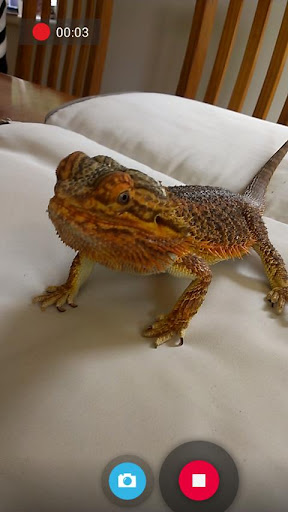
Snap is a camera and gallery application based on the camera included in Android 4.2 on the Nexus 4.
Take pictures and record video with a single click, no cluttered preview screen, just the two buttons you really need.
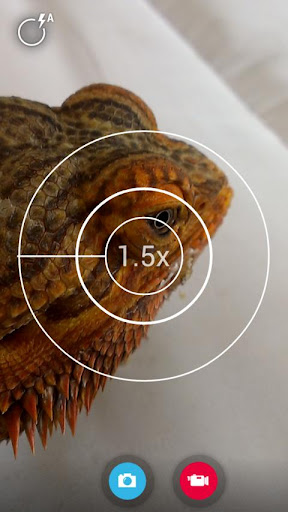
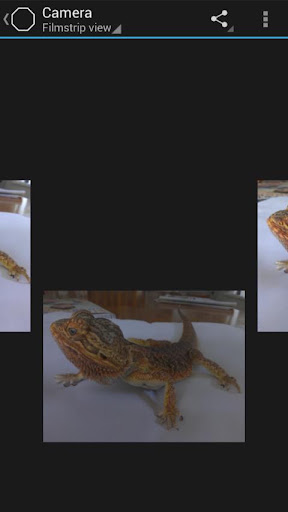
It has a simple, powerful user interface. Touch to focus, pinch to zoom, swipe to review and long press for photo settings. The photo controller includes settings for colour, contrast and sharpness (if supported by the hardware). The additional settings menu gives you access to: Picture and Video Size, Scene mode, Self Timer, Burst Mode, Time Lapse, Still and Video Focus Modes, JPEG Quality, Effects, ISO and Anti-banding.
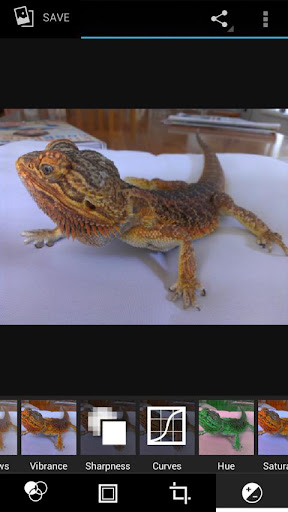
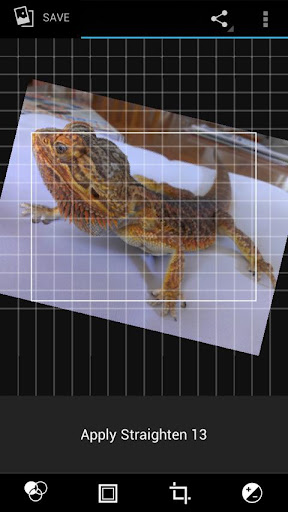
The powerful photo editor lets you add colour effects, borders, crop, rotate, mirror and straighten. You can also choose image effects, histogram modification and vignette. Undo an effect at any time from the history menu.
Share an image with any other app such as Facebook or Google+ by clicking on the share icon.
Snap works best on newer phones but will still run on older models.
The extra settings on the controller menu are only available on phones that support them. Most phones based on Qualcomm hardware do support these options but most others do not.
Camera apps are notoriously difficult to make compatible with all hardware. If it doesn't work, please don't rate the app badly, let us know and we will try to fix it.
Please post bugs and suggestions on the XDA thread for this app by clicking on "Visit Developer's Website" below.
What's in this version : (Updated : Mar 7, 2012)
- fix silent shutter on some devices
- silent video shutter (will not work on all devices)
- fix panorama on nexus 7
- file dialog for storage location
- fix exposure range on some devices
- add fast picture indicator
- fix for video crashes on some tegra2 devices
- fix grid appearing when it shouldn't
- add audio settings,
- fix orientation bugs on 2.3
- fix crash in showdetails
- fix video thumbnails on 2.3
- Fix icon name
- Thinner grid lines
- Other bugfixes
Screenshots :

Download : 6.6Mb APK

Rating: 4.5
Reviewer: Unknown
ItemReviewed: Snap Camera v2.0.8 APK

Professional Photography App for Android!
CameraPro (CameraX) 2.0 play.google.com.camerax
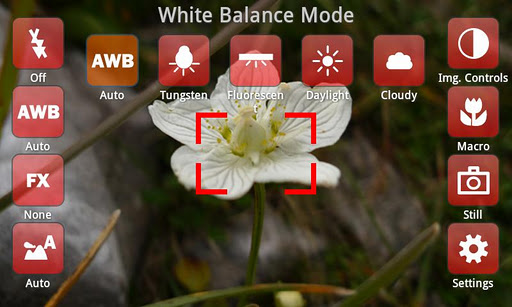
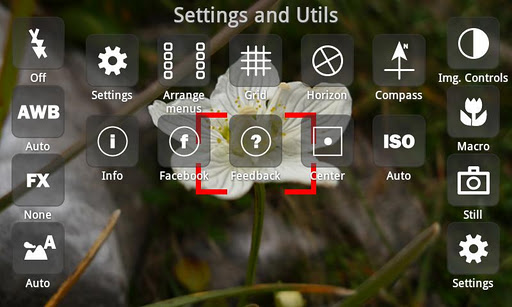
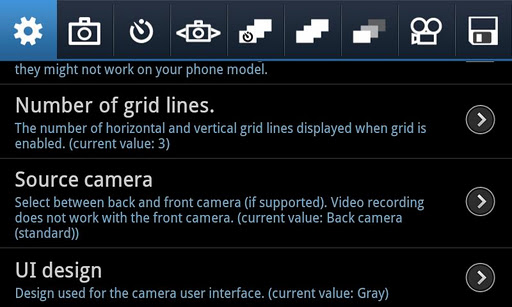
CameraPro (previously known as "CameraX") offers fast access to your mobile's camera capturing and video recording features. It is highly customizable including different designs and menu arrangements. Pictures can be directly uploaded from CameraPro to Facebook, Flickr, Picasa, and Twitter.
The following list gives an overview over the features. PLEASE NOTE that features marked with "*" vary between different phone models!
Camera Modes:
- Still (normal mode)
- !!!BETA!!!: Video / expert video mode (HD video greater than 720x480p is in Beta and works only on some phone models)
- Self-timer
- Time-lapse: record time-lapse picture series (Android 3.0+: record time-lapse videos too)
- Burst: shoot a set of pictures as fast as the phone supports
- Bracketing: take up to 10(!) different exposed images (can be used for HDR stitching with other apps)
- Anti-shake: take pictures exactly in the moment when the phone is not moving
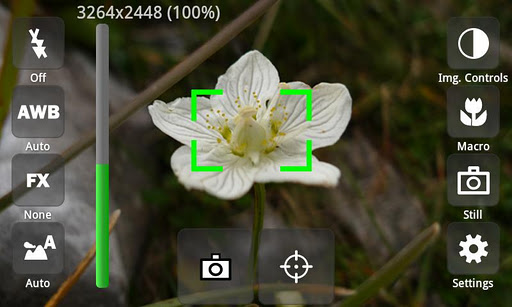
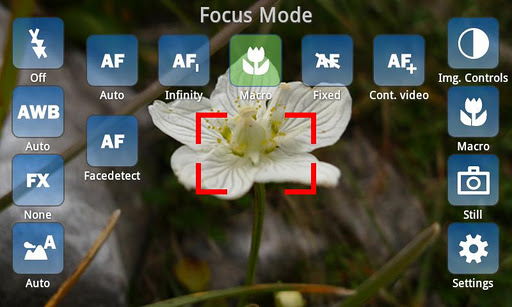
- Focus (autofocus, macro, infinity, continuous autofocus, face detection,...)*
- White balance*
- Flash (including videolight)*
- Effects (such as mono, negative, solarize, aqua,...)*
- Scene modes (night, landscape, portrait, beach, snow, fireworks, sports, party, candlelight, text,...)*
- Image controls (exposure compensation, brightness, contrast, sharpness, saturation)*
- ISO*
- Metering mode*
- Antibanding*
- Grid (customizable)
- Level meter/virtual horizon with indicator*
- Compass*
- Touch focus (Android 4+)*
- Zooming*
- Automatic bypassing of recording time respectively file size limit by means of file splitting (short gap possible between files)
- Disable audio recording
- Adjust audio channels, sampling rate, audio/video bitrates, frame rates, audio/video codecs, video container format, video dimensions*
- Supports 1080p video recording (e.g. Galaxy S2)*
- Use volume keys, hardware shutter, trackball, and touch buttons for capturing and focusing*
- Set CameraPro as default camera app*
- Disable shutter sound
- Fullscreen viewfinder*
- Back/front camera (front camera does not support video recording yet)*
- Image compression quality
- Different arbitrary storage locations for video and photos including customizable filenames
- For video resolutions greater than 720x480 set focus mode to "Continuous" if available. Else recording might start delayed (app looks as if it hangs for some seconds on the Samsung Galaxy S2)
- Zooming and picture controls can only be modified BEFORE video recording
- Changing from continuous autofocus to some other focus mode can be very slow
- Sometimes the direct HD video preview in the video player (started from CameraPro) shows only a black screen. When the player is started manually the video play back is fine.
- If updating from CameraX fails, uninstall CameraX before installing CameraPro.
- Video recording on some HTC devices and on all devices with Android 2.2 and older is only partly supported
- Some still picure resolutions on some HTC devices are distored (e.g. 16:9 resolutions). Enable the "HTC fix" under settings to fix.
LG/Viewfinder orientation:
- On some devices the viewfinder orientation is wrong (e.g. LG P500). Enable "Orientation fix" under settings to fix.
- Disabled histogram by default (due to problems on some devices)
- Added histogram (can be disabled under Settings)
- Added option to completely hide individual menu items (under "Arrange menus")
- Added beep sound for self-timer for the last 5 seconds (Android 4+, shutter sound and volume must be enabled)
- Bug fixes
Screenshots :
Rating: 4.5
Reviewer: Unknown
ItemReviewed: CameraPro v2.47 APK

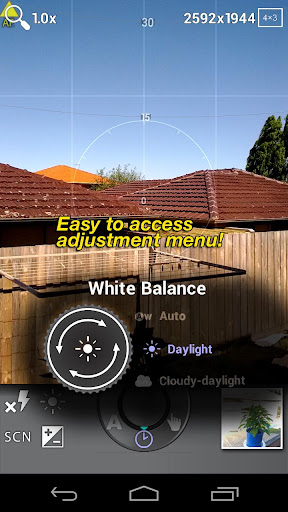
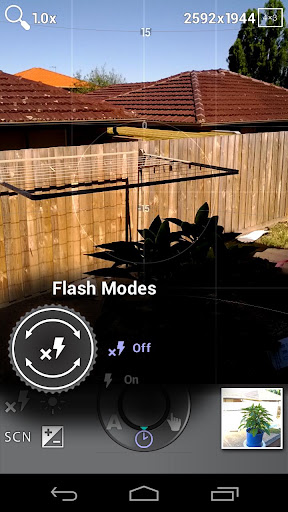
PerfectShot is a camera application that focus on features that help you improve your photos BEFORE they are taken rather than after!

PerfectShotplay.google.com.perfectshot
Because you know even the best photoshoping techniques can't save a blurry or wrongly exposured picture.
By providing you the most advanced assistances, PerfectShot helps you eliminate chances of imperfect shots and improve your efficiency so you are able to take better shots and have better chance of capturing precious moments.
Features:
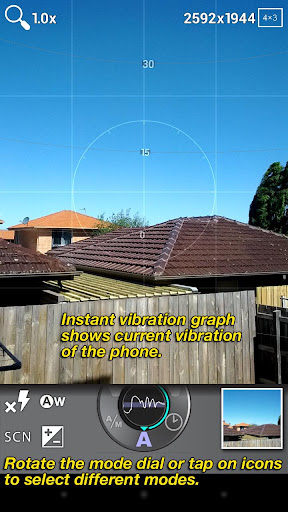
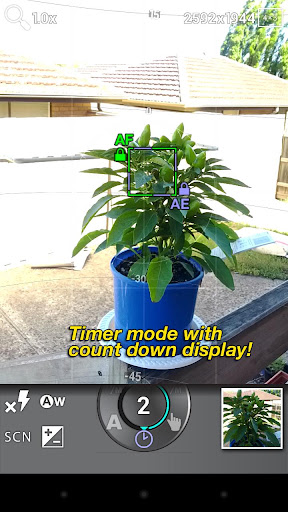
- Full auto mode that detect vibration of phone and automatically choose the perfect moment to take the picture. All you need to do is to compose and then hold your phone still. This removed the need of touching the screen button when you take a picture which increased the chance of camera shake, and released you from using both hands. So enjoy blur-free shots and single hand operation! There are also other modes like manual and timer for your convenience.
- Best virtual horizon assistance in the market! In addition to horizon line, it also gives you 3D guide lines that tells you roll and pitch positioning of your phone. Say goodbye to tilted photos!
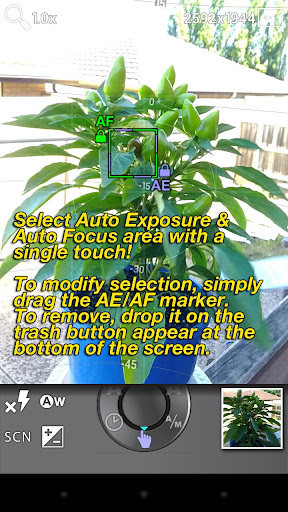
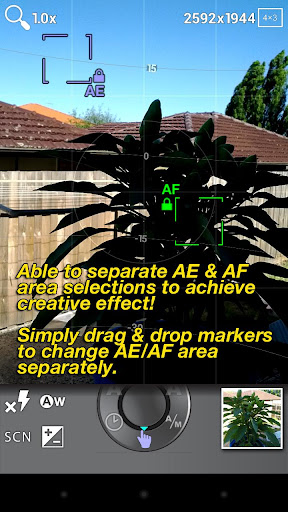
- AR assisted focus & metering area selection! The area you select stays the object and update itself after you re-compose the picture! (Works on supported ICS devices only because not all phones support focus and metering selection)
- Extreme optimisation provide fast startup time that is on par with the ICS native camera app, as well as a minimum footprint. So you will be ready to shoot faster. It is also seamlessly integrated into Android system that you can set it to take over system camera and start it from lock screen. You can also access photos taken by PerfectShot in the system gallery and share them whatever way you want.
- Innovative UI design that helps you change your setting fast and accurately.
- One touch focus & metering area selection.
What's in this version: (Updated : Mar 5, 2013)
- Fixed graph rendering issue on devices with certain nVidia GPUs (HTC One X, One X+, Nexus 7...)
- Fixed bug with image saving path & crash on gallery button.
Screenshots :
Rating: 4.5
Reviewer: Unknown
ItemReviewed: PerfectShot v1.0.2 APK

Take up to 30 photos per second with this high-speed camera application!

Fast Burst Camera play.google.comh.fastburstcamera
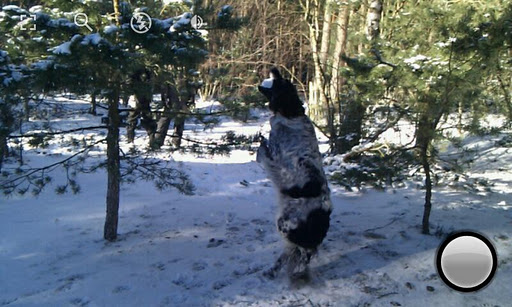
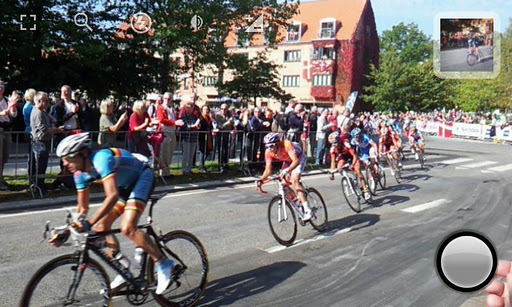
Take up to 30 photos per second with this high-speed camera application
This is the fastest camera app available for Android. Not even the newest iPhones are able to shoot this fast.
Fast Burst Camera is capable of taking 30 photos per second.
( on low-end devices, 5-10 photos per second is possible )
Hold shoot button for continuous burst, or tap for fast single shots.
Zero shutter lag - pictures are taken as soon as shutter button is pressed.
★ Supports flash, focus and zoom. Shutter sound can be turned of.
- ★ Great for
- sports shots
- pictures of kids or pets
- party camera
- taking a burst of pictures in an important situation, and pick the best later
- analyse your golf swing frame-by-frame
- Parkour shots
- get as much light as possible - especially when capturing things or people in motion
- keep the camera steady
- hold the shoot button for continuous bursts, and pick the good shots later
What's in this version : (Updated : Mar 4, 2012)
- Fixed crash bugs ( sorry about those! )
- Added feature : volume button can be used as shutter button
Required Android O/S : 2.2+
Screenshots :

Rating: 4.5
Reviewer: Unknown
ItemReviewed: Fast Burst Camera v4.1.5 APK
Use more than 70 customisable filters and 50 frames in any combination to create many photo effects!
Vignette play.google.com.NewVignette
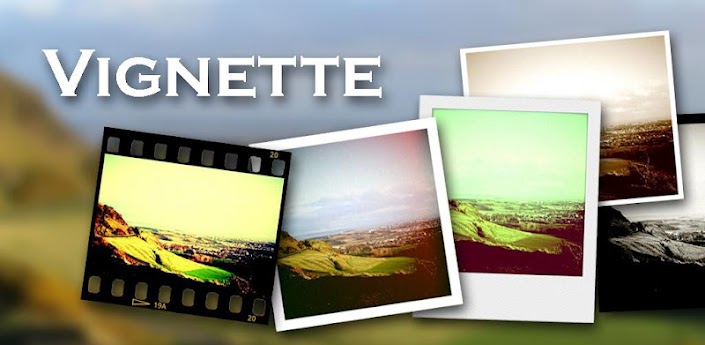
Use 76 customisable photo effects and 57 frames in any combination, to create retro/vintage styles, LOMO/Diana/Holga toy camera styles, Polaroid/instant camera styles and much more.
Plus cross-process, duotone, charcoal, tilt-shift, photo-booth, double-exposure effects and more.
Features:
- Take pictures at your camera’s full resolution, even with effects (paid version only)
- Use the flash and front-facing cameras on most devices
- Self-timer, time-lapse and steady-shot modes
- Digital 10× zoom
- Store location data in pictures (geotag)
- Use the volume rocker as a shutter button
- Launch from the lock screen in Android 4.0+
- Remote shutter with Sony Ericsson LiveView
- Time- and date-stamp pictures
- Rule-of-thirds and golden ratio composition guides
- Share pictures via third-party apps
What's in this version : (Updated : Mar 4, 2013)
- New: Vignette Gallery launcher icon is now optional (turn it off in the JPEG file settings screen; you may need to reboot for the change to take effect).
Required Android O/S : 1.6+
Screenshots :


Rating: 4.5
Reviewer: Unknown
ItemReviewed: Vignette v2013.02.1 APK

Camera FV-5 is a professional camera application for mobile devices, that puts DSLR-like manual controls in your fingertips !
Camera FV-5 play.google.com.camera.pro
Tailored to enthusiast and professional photographers, with this camera application you can capture the best raw photographs so that you can post-process them later and get stunning results. The only limit is your imagination and creativity!
Features :
- All photographic parameters are adjustable and always at hand: exposure compensation, ISO, light metering mode, focus mode, white balance and program mode.
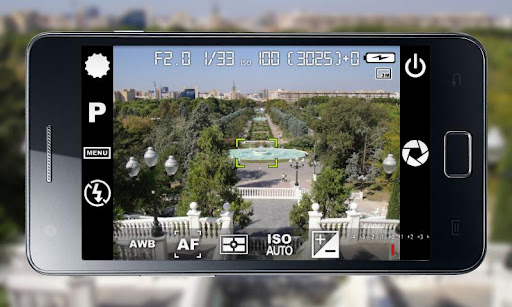
- DSLR-like viewfinder display: see exposure time, aperture and stops display with EV and bracketing settings.
- Full fledged exposure bracketing: from 3 to 7 frames, unlimited stops spacing, plus custom EV shifting.
- Built-in intervalometer: make stunning timelapses (even bracketed/HDR timelapses) and time-controlled picture series.
- Program and Speed-priority modes.
- Long exposure support: take beautiful night photos and light trails with long exposure times up to 60 seconds*.
- JPEG as well as RAW (PNG) image formats for lossless photo capturing, perfect for post-processing.
- EXIF and XMP sidecar metadata support.
- Self timer for delayed shooting.
- Autofocus, macro, touch-to-focus** and infinity focus modes, plus a focus lock switch (AF-L).
- In background photo developing and processing allows a smooth, uninterrupted camera operation.
What's in this version: (Updated : Feb 27, 2013)
- New: ISO 50 and ISO 3200 sensitivities on supported devices.
- Fixed: ISO support on some non-standard ISO devices.
- Fixed: exposure time toolbar was redesigned to optimize it for low density screens.
- Improved: image parameters dialog (contrast/saturation/sharpness) now show their actual values.
- New: Bulgarian, Catalan, Ukranian and Romanian languages contributed on
Required Android O/S : 2.2+
Screenshots :


Rating: 4.5
Reviewer: Unknown
ItemReviewed: Camera FV-5 v1.42 APK
Use more than 70 customisable filters and 50 frames in any combination to create many photo effects!
Vignette play.google.com.NewVignette
Use 76 customisable photo effects and 57 frames in any combination, to create retro/vintage styles, LOMO/Diana/Holga toy camera styles, Polaroid/instant camera styles and much more.
Plus cross-process, duotone, charcoal, tilt-shift, photo-booth, double-exposure effects and more.
Features:
- Take pictures at your camera’s full resolution, even with effects (paid version only)
- Use the flash and front-facing cameras on most devices
- Self-timer, time-lapse and steady-shot modes
- Digital 10× zoom
- Store location data in pictures (geotag)
- Use the volume rocker as a shutter button
- Launch from the lock screen in Android 4.0+
- Remote shutter with Sony Ericsson LiveView
- Time- and date-stamp pictures
- Rule-of-thirds and golden ratio composition guides
- Share pictures via third-party apps
What's in this version : (Updated : Feb 27, 2013)
- Fixed: Some Samsung devices vibrate when taking a picture.
- New: New gallery.
- Fixed: Sharing pictures with Vignette fails if Vignette's shooting mode is not "One shot".
Required Android O/S : 1.6+
Screenshots :
Rating: 4.5
Reviewer: Unknown
ItemReviewed: Vignette v2013.02 APK


