Tampilkan postingan dengan label Productivity. Tampilkan semua postingan

RepliGo PDF Reader enables PDF viewing, annotating, printing and form filling!
RepliGo PDF Readerplay.google.com.reader
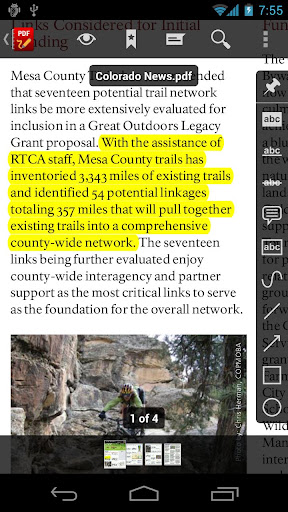
Review documents on the go by adding highlights, cross outs, underlines, sticky notes, arrows, lines, ovals, rectangles, freehand drawings and text boxes. Comments are stored as standard annotations in the original PDF file, just like Adobe® Acrobat®.
RepliGo PDF Reader also makes a great eBook reader with features like reflowed text, color themes, text-to-speech and brightness settings.
Features:
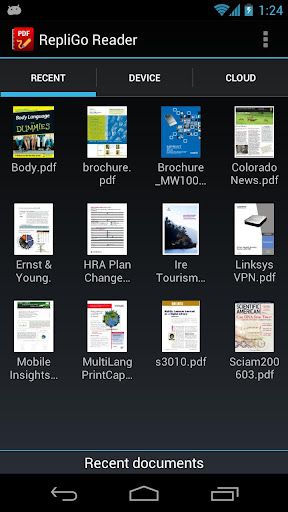
- PDF viewing, annotating, printing and form filling of files from your email, memory card, cloud services and the Internet
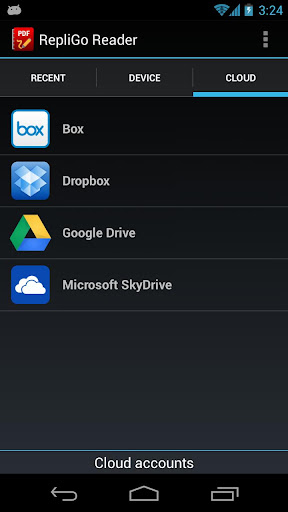
- Direct access to cloud-based PDF files stored in Box, Dropbox and Google Drive
- Add highlights, cross outs, underlines, sticky notes, arrows, lines, ovals, rectangles, freehand drawings and text boxes
- Adjust colors, border thickness, font size and the note for annotations
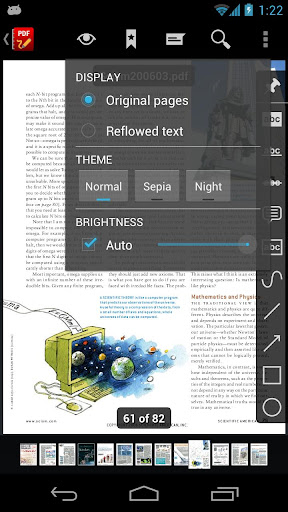
- Read documents easily with reflowed text, text-to-speech, color themes and brightness settings
- Scroll quickly through pages by swiping, tapping on the edge of the screen, or by using the volume keys
- Navigate long documents using bookmarks, comments, document links, go to page, search and thumbnails
- Click on email, map, phone and web hyperlinks to launch system applications
- Zoom in and out quickly by pinching or double-tapping on columns, images or tables
- Select text and copy it to the clipboard, or look up definitions using ColorDict
- Rotate documents into one of four orientations
- Open password protected files
- Send PDF files via email, Bluetooth and cloud services
- Keyboard and trackball support
What's in this version : (Updated : Mar 8, 2012)
- Fixed issue with Microsoft SkyDrive connections.
- Fixed issue with closing documents when Samsung Multi Window mode is activated.
- Fixed issue accessing Settings screen when Samsung TTS is activated.
- Fixed issue with hiding the toolbar when “Read aloud” is selected.
- Fixed issue with rendering certain transparent objects.
Required Android O/S : 2.2+
Screenshots :

Rating: 4.5
Reviewer: Unknown
ItemReviewed: RepliGo PDF Reader v4.2.4 APK

Launch apps with T9 app dialer!
AppDialer Proplay.google.com.appdialer.pro
Recommended by XDA! [1]
Pro features:
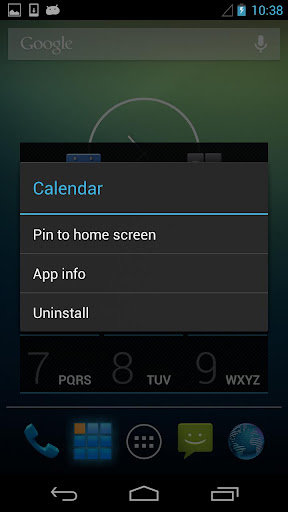
- Pin app to home screen
- Show app info
- Uninstall app
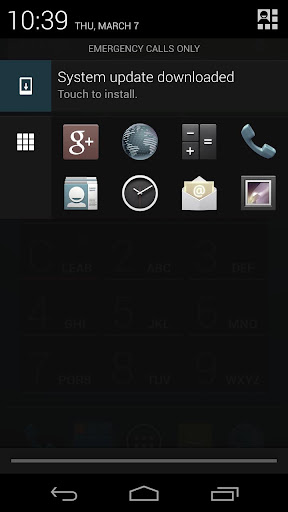
- Quick Launch Panel in Notifications (Android 4.1+)
Features:
- Search for apps and games by vendor or words in name
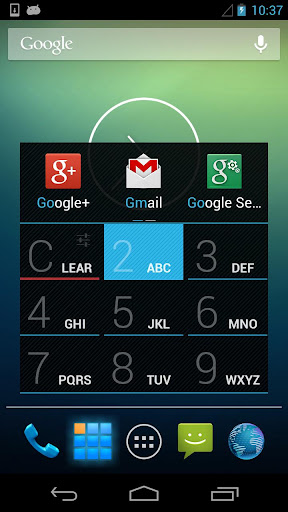
- See the MOST USED apps automatically displayed
- Ranking System list “most-used” app in order from top to bottom
- Search T9 Dialer Style
- Lightening quick searching
Search for apps and games faster and better with AppDialer. Browser through your installed apps by name, developer, or words in the names of both and watch the most frequently used apps pop-up above the dialer. We understand you may not recall the name of that app you just had active or are looking for a more efficient way of sorting through your apps. So we consider those of us who fit this bill.
Our new and awesome ranking system list apps in order of most used at the top of the list to bring you your most popular apps first. AppDialer makes it easy to find your most widely used apps lightening fast!
The best part of this awesomely designed app is that you can search in T9 Dialer Style!
What's in this version : (Updated : Mar 7, 2013)
- Fixed crashes
- Quick Launch Panel in Notifications (Android 4.1+)
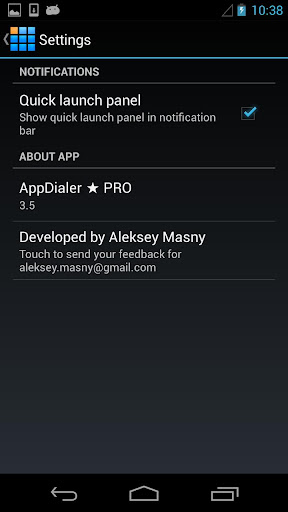
- Settings
Required Android O/S : 3.7Mb
Screenshots :
Rating: 4.5
Reviewer: Unknown
ItemReviewed: AppDialer Pro v3.7 APK

The Pro version for your favorite custom notification creator!

Notif Pro play.google.com.notifpro
The Pro version for your favorite custom notification creator!
Notif is an app built for Jelly Bean that allows you to create rich notifications for reminders, passwords, lists, pictures, or anything else you'd like to put up there that you can think of!
There are four types of notifications that you can create:
Notif Pro features include:
What's in this version: (Updated on : Mar 7, 2012)
There are four types of notifications that you can create:
- Default, which just holds a title and one line of content
- Big Text, which holds a title, an expanded title, and multiple lines of content
- Big Picture, which holds a title, an expanded title, a little bit of content, and an image that you can take or retrieve from your storage
- List, which you can add a title, up to 7 items, a summary, and a reduced one-line of content
Notif Pro features include:
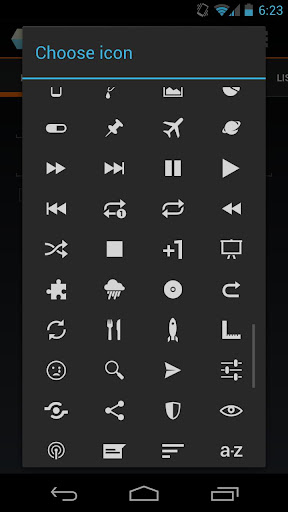
- All 200 custom icons!
- Lots more to come
- Fixed crash when editing notifications created from History
- Notif History
- Backs up all text and list notifications (free version only shows most recent 10)
- Tap to re-create notification
- Swipe to delete notification forever
- Other not-as-cool fixes
Required Android O/S : 4.1+
Screenshots :



Rating: 4.5
Reviewer: Unknown
ItemReviewed: Notif Pro v0.6.1 APK


